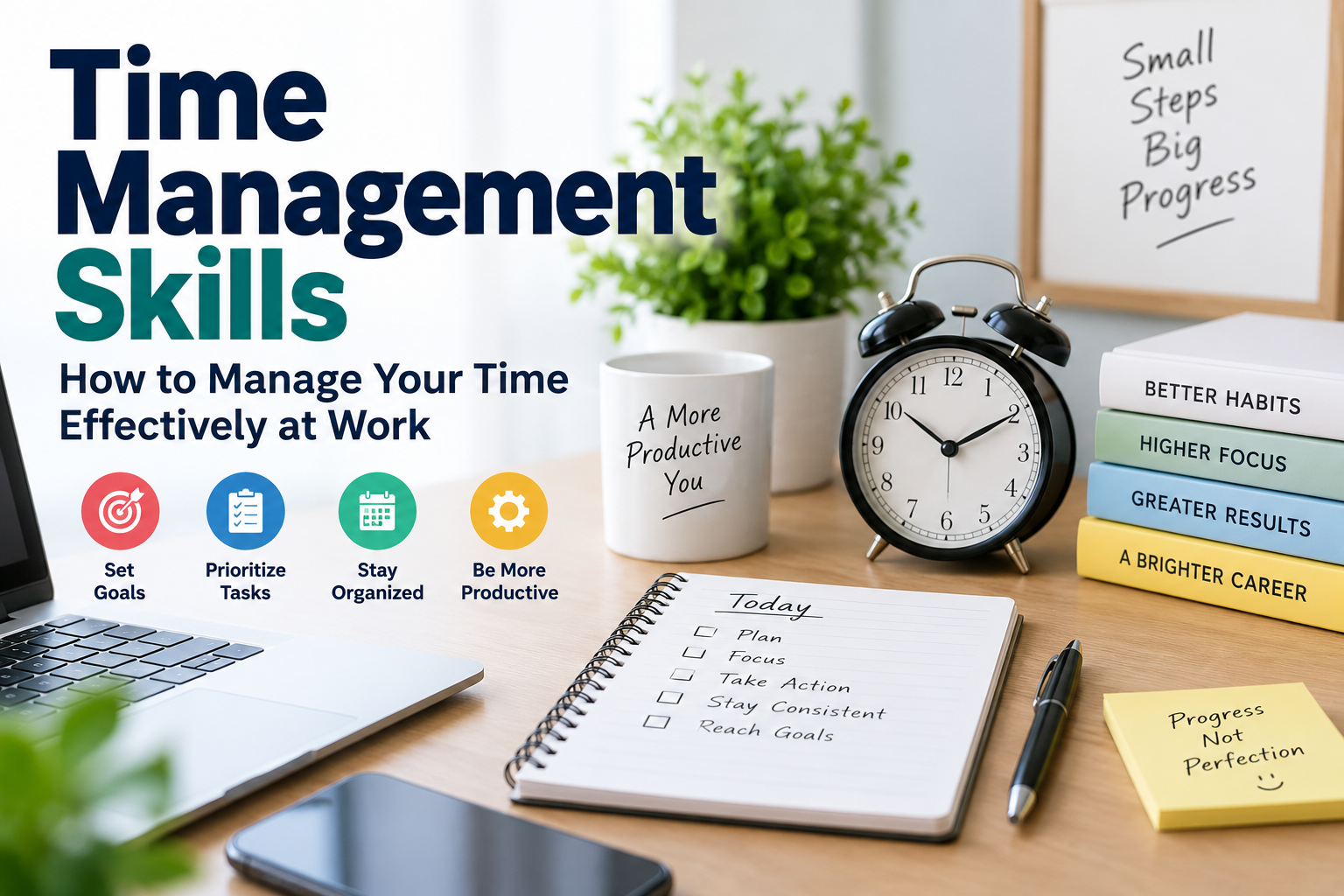
Time Management Skills: How to Manage Your Time Effectively at Work
Being busy and being productive are not the same thing.
Stay connected
Add us as a trusted source on Google
Get our latest guides, updates, and helpful resources surfaced more often when you search and browse.
You can spend an entire workday answering emails, switching between tasks, attending meetings, and dealing with interruptions—yet reach the end of the day without completing your most important work.
That’s where time management skills become valuable.
Good time management isn’t about trying to work every minute of the day. It’s about deciding what deserves your attention, organizing your responsibilities, reducing unnecessary distractions, and using the time available to accomplish meaningful work.
These skills can help whether you’re a student managing assignments, a fresher starting your first job, a remote employee working independently, or an experienced professional handling multiple projects.
In this guide, you’ll learn what time management skills are, why employers value them, practical techniques for managing your workload, common mistakes to avoid, and how to demonstrate time management skills on your resume and during interviews.
What Are Time Management Skills?
Time management skills are the abilities that help you plan and control how you use your time.
They help you decide:
- What needs to be done
- What should be done first
- How much time a task requires
- When you should work on it
- What can be delegated
- What can be postponed
- What may not need to be done at all
Time management is therefore much more than creating a daily schedule.
It combines several professional skills, including:
- Planning
- Prioritization
- Organization
- Goal setting
- Decision-making
- Focus
- Delegation
- Communication
- Self-discipline
- Problem solving
Someone with good time management skills doesn’t necessarily complete everything immediately.
Instead, they make deliberate decisions about how to use their limited time.
Why Are Time Management Skills Important?
Almost every job involves competing priorities.
You may have a report due tomorrow, emails waiting for responses, a meeting in an hour, a customer asking for help, and a larger project that needs to be completed by the end of the week.
Without a system for managing those responsibilities, it’s easy to spend too much time on whatever appears most urgent at that moment.
Effective time management can help you:
- Meet deadlines
- Reduce last-minute work
- Prioritize important tasks
- Improve productivity
- Stay organized
- Reduce unnecessary stress
- Produce higher-quality work
- Manage multiple responsibilities
- Communicate delays earlier
- Maintain a healthier work-life balance
Employers also value employees who can manage their responsibilities without requiring constant reminders.
This becomes particularly important as you take on greater responsibility.
Examples of Time Management Skills
Time management is not one individual skill.
Several abilities work together to help you manage your workload effectively.
1. Prioritization
Prioritization means deciding which tasks deserve your attention first.
Not every task has equal importance.
Suppose you begin your day with:
- 25 unread emails
- A report due at 3 PM
- A presentation due next week
- A customer complaint
- Routine administrative work
You could start answering emails simply because they’re visible.
But the report with today’s deadline may deserve your attention first.
Good prioritization requires you to consider:
- Deadlines
- Importance
- Business impact
- Dependencies
- Consequences of delay
- Time required
The goal isn’t simply to work faster.
It’s to work on the right things.
2. Planning
Planning helps you decide how and when work will happen.
Instead of beginning the day with no structure, you can identify your most important responsibilities beforehand.
Planning can happen at several levels.
Daily Planning
Identify what needs to be completed today.
Weekly Planning
Review upcoming deadlines, meetings, and projects.
Project Planning
Break larger projects into smaller milestones.
Long-Term Planning
Identify future responsibilities and prepare before they become urgent.
Even a few minutes of planning can prevent hours of disorganized work later.
3. Goal Setting
Clear goals make it easier to decide where your time should go.
Compare:
“Work on my presentation.”
with:
“Complete the first five presentation slides before lunch.”
The second goal is easier to act on and measure.
Large professional goals should also be divided into smaller milestones.
If your goal is to earn a professional certification, for example, your plan might include:
- Choose the certification.
- Register for the course.
- Complete two lessons each week.
- Practice sample questions.
- Schedule the examination.
Breaking goals into actions makes progress easier to manage.
4. Organization
Disorganization wastes time.
If you regularly spend ten minutes searching for files, emails, passwords, notes, or project information, those small delays add up.
Organization can include:
- Clear file names
- Logical folder structures
- Organized email
- Calendar management
- Project trackers
- Task lists
- Consistent documentation
Your system doesn’t need to be complicated.
The best organizational system is one you can maintain consistently.
5. Focus
Good planning means little if you can’t concentrate long enough to complete the work.
Modern workplaces contain constant opportunities for interruption:
- Messaging apps
- Phone notifications
- Meetings
- Social media
- Coworker questions
- Browser tabs
Every interruption can make it harder to return to focused work.
For tasks requiring concentration, consider creating periods when unnecessary notifications are turned off and communication tools are checked less frequently.
6. Decision-Making
Every day involves small decisions about time.
Should you attend a meeting?
Should you answer that message immediately?
Should you continue troubleshooting a problem yourself?
Should you ask someone for help?
Should you postpone a lower-priority task?
Good decision-making prevents you from spending excessive time on activities that provide little value.
7. Delegation
Trying to do everything yourself isn’t always good time management.
Delegation means assigning appropriate work to someone who has the ability and responsibility to handle it.
Managers frequently need this skill, but delegation can happen in team projects as well.
Good delegation involves explaining:
- What needs to be done
- Why it matters
- When it’s needed
- What outcome is expected
- What resources are available
Delegation should not simply move unwanted work to someone else.
It should help distribute responsibilities appropriately.
8. Communication
Communication may not immediately seem like a time management skill, but poor communication can waste enormous amounts of time.
For example, unclear instructions can lead to:
- Repeated questions
- Incorrect work
- Missed deadlines
- Duplicate work
- Unnecessary meetings
Clear communication helps everyone understand expectations and responsibilities.
It is also important when a deadline is at risk.
If you know you won’t complete something on time, communicating early gives your manager or team more options than waiting until the deadline has already passed.
9. Setting Boundaries
Being available every second of the day can make focused work difficult.
Sometimes effective time management requires saying:
- “I can work on this after I finish the current priority.”
- “Can we move this discussion until this afternoon?”
- “I won’t be able to complete both tasks today. Which one should take priority?”
Setting boundaries doesn’t mean refusing to help.
It means being realistic about your capacity.
10. Adaptability
Your schedule will not always go according to plan.
A customer may have an emergency.
A system may stop working.
Your manager may change priorities.
A coworker may become unavailable.
Good time management includes the ability to adjust when circumstances change.
A schedule should guide you—not prevent you from responding to genuinely important changes.
How to Improve Your Time Management Skills
Time management improves when you understand where your time currently goes and deliberately change your habits.
Step 1: Track How You Spend Your Time
Before trying a new productivity technique, understand your current behavior.
For several days, keep a simple record of how you spend your working hours.
You might discover that you spend:
- Two hours in meetings
- An hour answering email
- Three hours on focused project work
- An hour dealing with interruptions
- Another hour on administrative tasks
The exact numbers aren’t important.
The purpose is to identify patterns.
Ask:
- Which activities consume the most time?
- Which activities create the most value?
- Where am I frequently interrupted?
- Which tasks take longer than expected?
- What could be reduced or eliminated?
You can’t improve what you haven’t examined.
Step 2: Identify Your Most Important Tasks
At the beginning of each day, identify the few tasks that matter most.
Ask yourself:
“If I could complete only three things today, which would have the greatest impact?”
This forces you to distinguish between important work and simply available work.
Your priorities may change during the day, but starting with a clear direction makes it less likely that your inbox will control your schedule.
Step 3: Use a To-Do List Properly
A to-do list can be useful, but a giant list of 40 tasks can become overwhelming.
Separate tasks by priority or time frame.
For example:
Must Do Today
- Submit client report
- Review project proposal
- Respond to urgent customer issue
Should Do Today
- Prepare notes for tomorrow’s meeting
- Review analytics
Later
- Organize old files
- Research new software
- Update internal documentation
This helps prevent low-value tasks from competing visually with urgent responsibilities.
Step 4: Prioritize With the Urgent-Important Method
One useful way to evaluate tasks is to consider two questions:
Is it important?
Is it urgent?
Tasks generally fall into four groups.
Important and Urgent
These need immediate attention.
Examples:
- A critical customer issue
- A deadline today
- A major system problem
Important but Not Urgent
These often produce long-term value.
Examples:
- Skill development
- Strategic planning
- Building professional relationships
- Improving processes
These tasks are easy to postpone because they aren’t urgent.
However, repeatedly ignoring them can hurt long-term progress.
Urgent but Less Important
Some tasks require a quick response but may not require your personal attention.
These may sometimes be delegated.
Neither Urgent nor Important
These activities may be candidates for reduction or elimination.
The goal is to spend more time on important work before it becomes urgent.
Step 5: Break Large Projects Into Smaller Tasks
Large tasks often create procrastination because it’s unclear where to begin.
Suppose your task list says:
“Create company website.”
That’s too large to complete as one action.
Break it down:
- Define website requirements.
- Create sitemap.
- Design homepage.
- Build page templates.
- Add content.
- Test mobile responsiveness.
- Test forms.
- Review performance.
- Launch website.
Now each step is easier to schedule and track.
The same approach works for reports, presentations, job searches, courses, and other large projects.
Step 6: Estimate How Long Tasks Will Take
Many scheduling problems happen because people underestimate time.
You may assume a report will take 30 minutes when it actually takes two hours.
Start estimating task duration.
Then compare your estimate with the actual time.
Over time, you’ll become better at planning realistically.
Also leave some space in your schedule for unexpected work.
If every minute of your day is already allocated, one unexpected problem can disrupt everything.
Step 7: Use Time Blocking
Time blocking means reserving specific periods for particular types of work.
For example:
9:00–10:30: Focused project work
10:30–11:00: Email and messages
11:00–12:00: Team meeting
1:00–2:30: Client report
2:30–3:00: Administrative tasks
The schedule doesn’t need to be followed perfectly.
The purpose is to protect time for important work instead of hoping you’ll eventually find time for it.
Step 8: Group Similar Tasks Together
Switching constantly between unrelated tasks can make work less efficient.
Instead of checking email every few minutes, you might process messages at designated times.
Similarly, you can group:
- Phone calls
- Administrative work
- Content writing
- Data entry
- Reviews
- Approvals
This technique is sometimes called task batching.
It reduces unnecessary switching between different types of work.
Step 9: Reduce Unnecessary Notifications
Every notification asks for your attention.
That doesn’t mean every notification deserves it immediately.
Consider turning off nonessential alerts while doing focused work.
You can still check communication channels at appropriate intervals.
The goal isn’t to become unreachable.
It’s to prevent every incoming message from automatically becoming your highest priority.
Step 10: Avoid Unnecessary Multitasking
Multitasking often feels productive because you’re doing several things at once.
But many tasks require focused attention.
Writing a report while repeatedly checking messages can take longer than completing the report first and handling messages afterward.
Try to complete one meaningful task at a time when the work requires concentration.
Step 11: Learn When to Say No
You have limited time.
Accepting every request can prevent you from completing your most important responsibilities.
You don’t necessarily need to say:
“No, I won’t do it.”
Instead, communicate priorities.
For example:
“I can take care of this tomorrow. I’m currently finishing the client report due this afternoon.”
Or:
“I can complete either the presentation or the analysis today. Which one should take priority?”
This makes the trade-off visible.
Step 12: Review Your Day
At the end of the workday, spend a few minutes reviewing what happened.
Ask:
- What did I complete?
- What didn’t get finished?
- Why?
- Which tasks need to move to tomorrow?
- Did anything take much longer than expected?
- What is tomorrow’s highest priority?
This small habit can make the next day much easier to start.
Time Management Techniques You Can Try
There is no single productivity method that works for everyone.
Experiment and keep what helps.
The Pomodoro Technique
The Pomodoro Technique generally involves working in focused intervals followed by short breaks.
A common structure is:
- Work for 25 minutes
- Take a short break
- Repeat
- Take a longer break after several cycles
You don’t have to follow the exact timing.
The main idea is to create a defined period of focused work.
This can be particularly useful when you’re procrastinating on a task.
Time Blocking
As discussed earlier, time blocking reserves periods of your calendar for specific work.
It’s particularly useful for people whose calendars otherwise fill with meetings and small requests.
Task Batching
Task batching groups similar activities together.
Instead of switching between email, writing, calls, and analysis throughout the day, you handle similar work during designated periods.
The Two-Minute Rule
If a small task can genuinely be completed very quickly, handling it immediately may be more efficient than repeatedly recording and rescheduling it.
However, be careful.
Ten “two-minute tasks” can easily become twenty or thirty minutes of distraction from an important project.
Use this technique selectively.
The 80/20 Principle
The 80/20 principle encourages you to identify the small number of activities producing a large share of your results.
The percentages shouldn’t be treated as a strict mathematical rule in every situation.
The useful question is:
“Which activities create the most meaningful results?”
Then protect time for those activities.
How to Manage Time When Working From Home
Remote work can provide flexibility, but it also creates different time-management challenges.
Without a commute or traditional office environment, the boundaries between work and personal time can become unclear.
Remote employees may also face:
- Household distractions
- Excessive online meetings
- Communication across time zones
- Frequent messaging
- Isolation
- Difficulty switching off after work
A few habits can help.
Establish Working Hours
When possible, decide when your workday starts and ends.
Create a Start-of-Day Routine
Review priorities before immediately opening every communication channel.
Protect Focus Time
Block periods for work requiring concentration.
Communicate Availability
Let teammates know when you’re available and when you’re focusing on important work.
Create an End-of-Day Routine
Review your tasks, plan tomorrow, and close work applications when you’re finished.
Remote work shouldn’t mean being available 24 hours a day.
Time Management for Students and Freshers
You don’t need professional experience to develop strong time management skills.
Students regularly balance:
- Classes
- Assignments
- Exams
- Projects
- Internships
- Part-time work
- Personal responsibilities
These situations provide real opportunities to practice prioritization and planning.
If you’re preparing to enter the workforce, start treating deadlines and projects professionally.
Use a calendar.
Break assignments into milestones.
Plan ahead instead of relying entirely on last-minute work.
These habits can transfer directly into your first job.
Time Management Skills for Managers
Managers face an additional challenge: they aren’t responsible only for their own time.
They also influence how their teams spend time.
Poor management can create unnecessary work through:
- Excessive meetings
- Unclear priorities
- Constant interruptions
- Frequent changes
- Poor delegation
- Unclear responsibilities
Good managers protect their teams’ time.
They make priorities clear, reduce unnecessary meetings, delegate appropriately, and avoid treating every request as an emergency.
How to Show Time Management Skills on a Resume
Simply adding “time management” to your skills section doesn’t provide much evidence.
Whenever possible, demonstrate the skill through accomplishments.
Instead of:
“Excellent time management skills.”
write something such as:
“Managed five concurrent client projects while consistently meeting weekly delivery deadlines.”
Or:
“Coordinated multiple project schedules and introduced a tracking system that reduced missed deadlines.”
Or:
“Prioritized and resolved high-volume customer requests while maintaining service targets.”
These examples demonstrate time management without simply claiming it.
How to Talk About Time Management in an Interview
Interviewers may ask:
- How do you prioritize your work?
- How do you manage multiple deadlines?
- Tell me about a time you missed a deadline.
- How do you stay organized?
- How do you handle competing priorities?
- How do you manage your workload?
- Tell me about a time you had too much work to complete.
Prepare a specific example.
A strong answer might sound like:
“In my previous role, I was responsible for several client projects with overlapping deadlines. At the beginning of each week, I reviewed deadlines and dependencies and broke each project into smaller tasks. When two urgent requests conflicted, I discussed the priorities with my manager rather than making assumptions. That system helped me keep projects moving and communicate potential delays before they became problems.”
Notice that the answer doesn’t simply say:
“I’m good at time management.”
It explains the process.
What If You Miss a Deadline?
Good time management doesn’t mean you’ll never miss a deadline.
Unexpected problems happen.
If you realize a deadline is at risk:
- Identify the cause.
- Determine what remains to be completed.
- Inform the appropriate person early.
- Explain the situation clearly.
- Propose a realistic new timeline.
- Prioritize the remaining work.
- Review afterward to prevent the same issue when possible.
The worst approach is often staying silent and hoping the problem disappears.
Early communication gives everyone more options.
Common Time Management Mistakes
Trying to Do Everything
Not every task deserves equal attention.
Prioritization means accepting that some work may need to wait.
Starting the Day With Email
Your inbox contains other people’s priorities.
If possible, identify your own priorities before allowing messages to determine your entire schedule.
Overplanning
Planning is useful until maintaining the plan takes more time than doing the work.
Your productivity system should simplify your work, not become another project.
Scheduling Every Minute
Leave room for unexpected responsibilities.
A completely full calendar is fragile.
Confusing Urgent With Important
An incoming message feels urgent because it appears immediately.
That doesn’t necessarily make it more important than the project you’re already working on.
Avoiding Difficult Tasks
Easy tasks provide quick satisfaction.
But completing ten minor tasks while avoiding one important task isn’t necessarily productive.
Constant Multitasking
Switching repeatedly between unrelated activities can make focused work more difficult.
Never Taking Breaks
Working continuously for long periods doesn’t automatically produce better results.
Short breaks can help maintain concentration during demanding work.
Failing to Communicate
If your workload becomes unrealistic, communicate before deadlines are missed.
Using Too Many Productivity Tools
You don’t need five task managers, three calendars, two note-taking apps, and a complicated productivity dashboard.
Choose a simple system you will actually use.
How Time Management Connects With Other Professional Skills
Time management doesn’t exist in isolation.
It works closely with other professional abilities.
Problem Solving
Unexpected problems require you to reassess priorities and decide how to respond.
Communication
Clear communication reduces confusion and helps teams coordinate deadlines.
Critical Thinking
You need to evaluate which activities deserve attention instead of reacting automatically.
Organization
Organized information and workflows reduce wasted time.
Adaptability
Priorities change, and your plan needs to change with them.
Leadership
Managers need to manage both their own priorities and the workload of their teams.
Improving these related skills can make your overall time management much stronger.
How Long Does It Take to Improve Time Management?
There isn’t a fixed timeline.
You may notice improvements quickly after changing a few habits, while other behaviors take longer to develop.
Don’t try to completely redesign your life in one day.
Start with one or two changes.
For example:
Week 1: Identify your top three priorities each morning.
Week 2: Reduce unnecessary notifications during focused work.
Week 3: Start time blocking important projects.
Week 4: Review your schedule and identify what worked.
Small improvements are easier to maintain than an overly complicated productivity system.
Frequently Asked Questions
What are time management skills?
Time management skills are abilities that help you plan, prioritize, organize, and control how you use your available time. Examples include planning, prioritization, organization, goal setting, delegation, focus, and communication.
Why are time management skills important?
They can help you meet deadlines, prioritize important work, reduce unnecessary stress, manage multiple responsibilities, improve productivity, and communicate more effectively.
What are five examples of time management skills?
Five common examples are prioritization, planning, organization, goal setting, and delegation. Focus, communication, decision-making, and adaptability are also important.
How can I improve my time management?
Start by tracking how you currently spend your time. Identify your highest-priority tasks, plan your day, break large projects into smaller steps, reduce distractions, and review your progress regularly.
Is multitasking a good time management skill?
Not always. For work requiring concentration, switching repeatedly between tasks can reduce efficiency. Focusing on one important task at a time is often more effective.
How do I demonstrate time management on my resume?
Use accomplishments that show how you managed deadlines, projects, workloads, or competing priorities. Specific examples are more convincing than simply listing “time management” as a skill.
How do I answer a time management interview question?
Explain your actual process for prioritizing and organizing work, then provide a specific example of how you successfully handled multiple responsibilities or deadlines.
What is the best time management technique?
There isn’t one method that works for everyone. Time blocking, task batching, focused work intervals, prioritization frameworks, and daily planning are all worth trying. Choose techniques that fit your responsibilities and working style.
Final Thoughts
Strong time management skills aren’t about filling every minute with work.
They’re about making better decisions about where your time goes.
Start by understanding how you’re currently spending your day. Identify the work that matters most, plan around your priorities, break large projects into manageable tasks, and reduce unnecessary interruptions.
Don’t expect every day to go exactly according to schedule.
Unexpected work will appear. Priorities will change. Some tasks will take longer than expected.
Effective time management means being able to adjust without losing sight of what matters.
Start small.
Choose your most important tasks each day, protect time to complete them, communicate when priorities conflict, and regularly review what is and isn’t working.
Over time, those habits can help you become more organized, reliable, productive, and effective at work.